


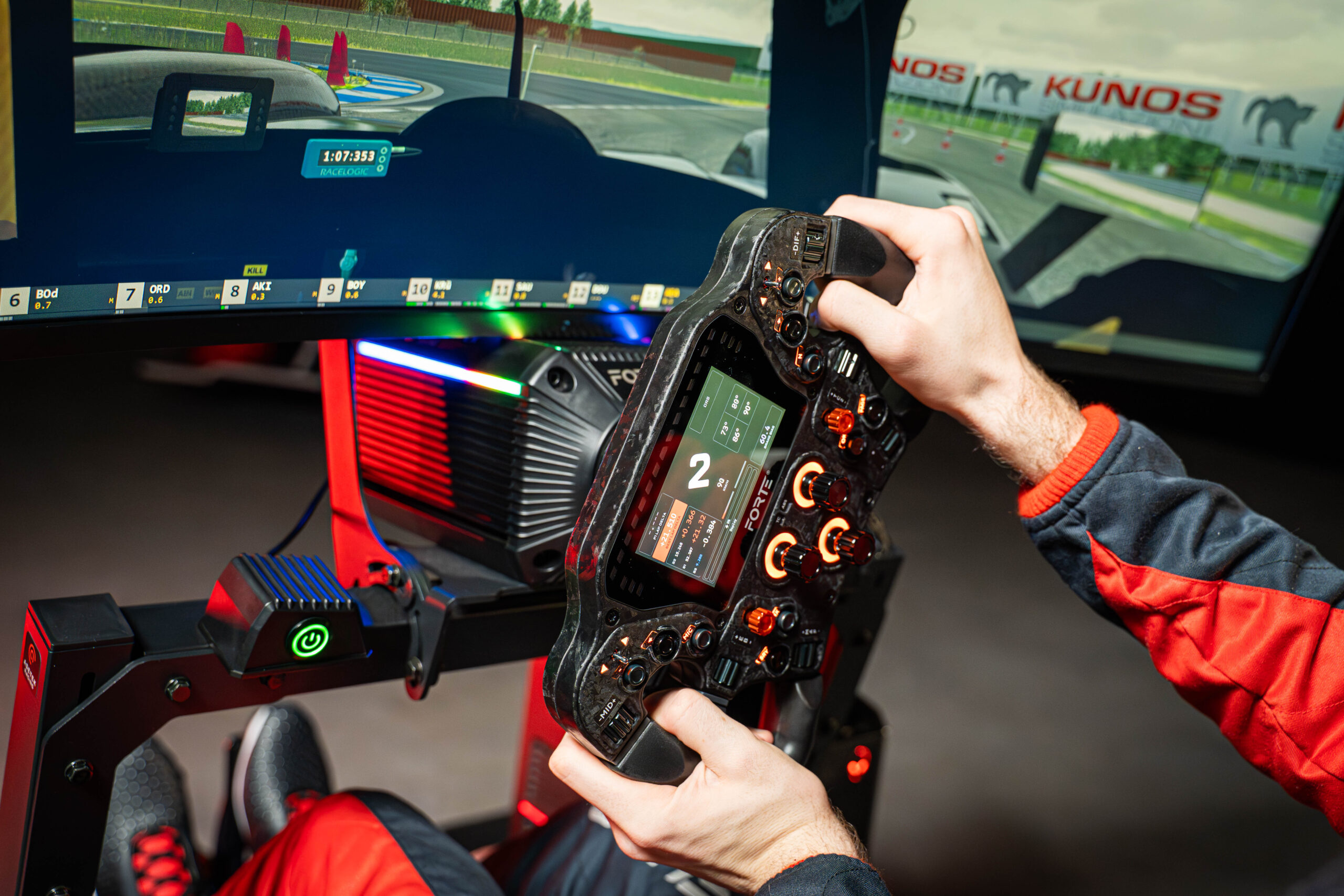
Sim Racing Wheel Position: Height, Distance & Control
Your sim racing wheel position affects steering control, comfort, posture, force feedback, and consistency.
If your wheel is too high, too low, too far away, too close, or angled incorrectly, it can become harder to steer smoothly and stay relaxed during long sessions.
A good wheel position should let you hold the steering wheel with relaxed shoulders, slightly bent elbows, and a stable upper body. You should be able to turn the wheel without reaching forward, lifting your shoulders, locking your arms, or moving away from the seat.
In this guide, we’ll cover sim racing wheel height, wheel distance, steering wheel angle, wheelbase position, GT vs formula wheel position, common mistakes, and how your wheel setup should work together with your seat, pedals, monitor, and cockpit.
Why wheel position matters in sim racing
Wheel position is one of the most important parts of an ergonomic sim racing setup. It affects how naturally you steer, how much force feedback you can control, and how comfortable your shoulders, arms, wrists, and back feel during longer sessions.
A poor wheel position can lead to:
- Tense shoulders
- Locked elbows
- Wrist discomfort
- Unstable steering inputs
- Poor force feedback control
- Reduced precision
- Neck and upper back fatigue
- Difficulty holding consistent steering angles
- A less natural driving posture
A good wheel position helps you stay relaxed, react faster, and make smoother steering inputs. It also helps you feel more connected to the car, especially when using a direct drive wheelbase.
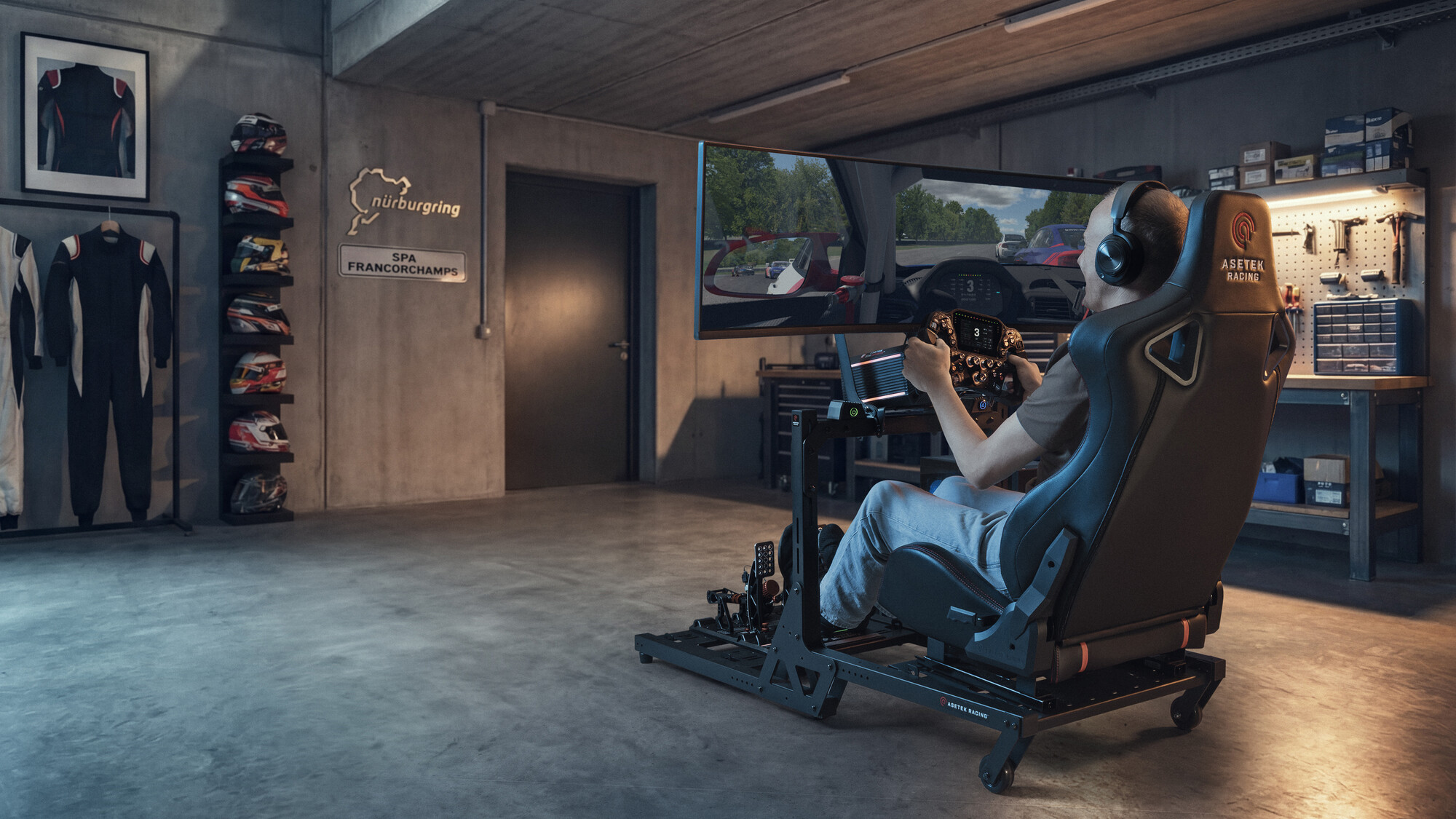
Sim racing wheel position checklist
Use this checklist to dial in a more comfortable and controlled sim racing wheel position:
- Keep your shoulders relaxed
- Keep a slight bend in your elbows
- Avoid reaching forward for the wheel
- Avoid sitting so close that your arms feel cramped
- Position the wheel around chest to shoulder height
- Keep your wrists in a neutral position
- Make sure the wheel does not block your screen
- Make sure your wheelbase is stable
- Match wheel distance to your seating position
- Test small adjustments over several laps
Your goal is not just to make the setup look realistic. Your wheel position should feel natural, stable, and repeatable.
For a broader overview of seating position, pedal setup, monitor placement, cockpit comfort, and long-session performance, read our complete sim racing ergonomics guide.
How high should your sim racing wheel be?
Your sim racing wheel should usually sit around chest to shoulder height when you are in your normal driving position. The exact height depends on your seating style, cockpit, wheelbase, steering wheel, and screen position.
If the wheel is too high, you may lift your shoulders while driving. This can create tension in your neck, upper back, and arms. If the wheel is too low, your wrists may bend awkwardly, and your steering inputs can feel less natural.
Your wheel height is usually correct when:
- Your shoulders stay relaxed
- Your elbows stay slightly bent
- Your wrists are not forced upward or downward
- You can turn the wheel without lifting your shoulders
- The wheel does not block important parts of the screen
- Your arms feel natural during both small and large steering inputs
A good test is to sit in your normal racing position and hold the wheel at 9 and 3 o’clock. If your shoulders rise, your wrists bend sharply, or your arms feel tense, your wheel height may need adjustment.
How far away should your sim racing wheel be?
Your sim racing wheel should be close enough that you can turn it comfortably without stretching, but far enough away that your arms do not feel cramped.
A simple rule of thumb is to sit close enough that your elbows remain slightly bent when holding the wheel at 9 and 3 o’clock. You should be able to rotate the wheel smoothly without leaning forward or pulling your shoulders away from the seat.
If the wheel is too far away, you may start reaching with your arms and upper body. This can reduce precision and create shoulder fatigue. If the wheel is too close, your elbows may feel cramped, and your inputs can become less smooth.
Your wheel distance is usually correct when:
- You can hold the wheel without reaching
- Your elbows stay slightly bent
- Your shoulders remain relaxed
- Your back stays supported by the seat
- You can turn the wheel without leaning forward
- You can make quick corrections without tension
A good wheel distance should let you steer with control while keeping your upper body stable.
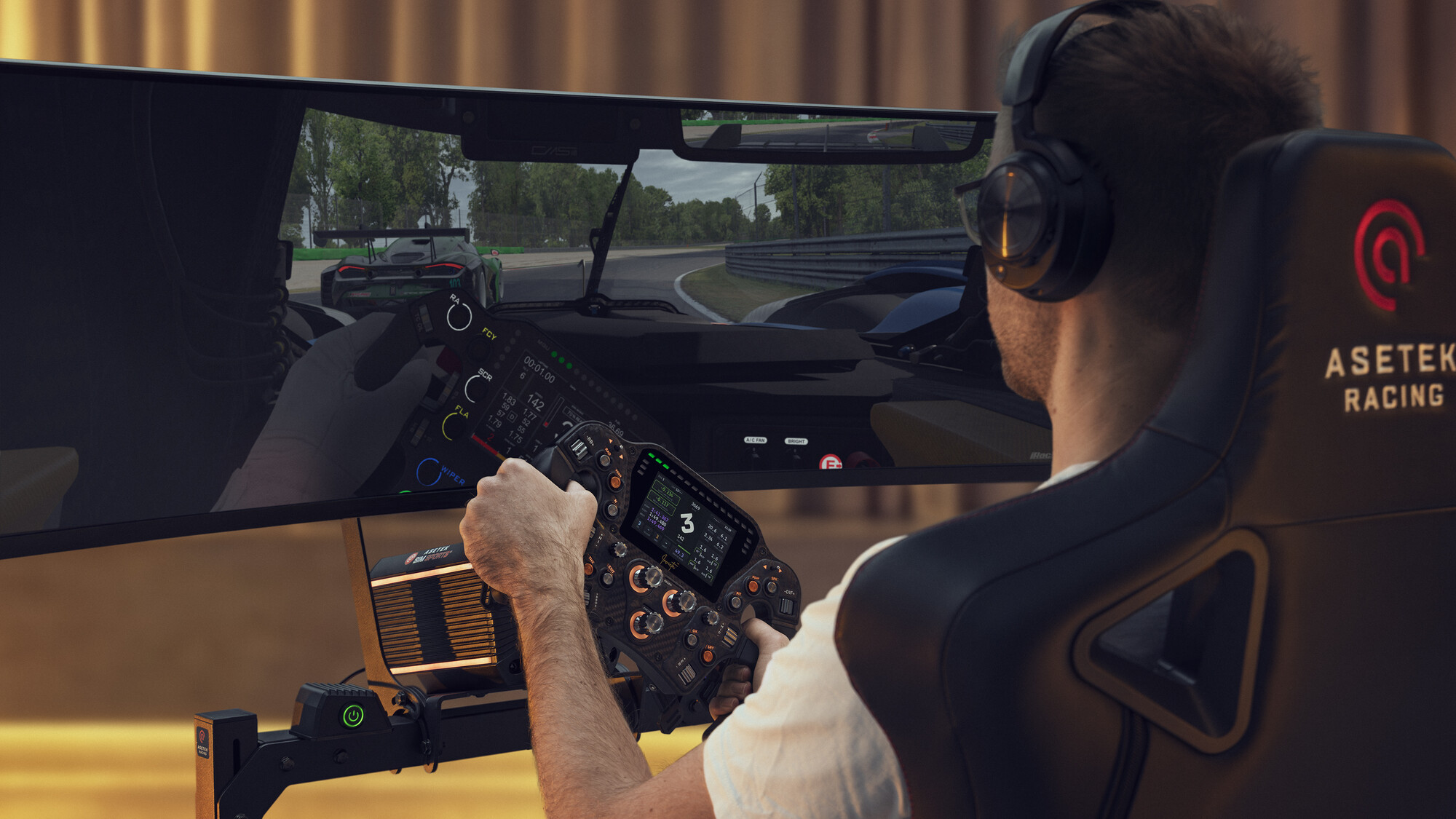
What is the best steering wheel angle?
The best steering wheel angle depends on your seating position and the type of driving you do. A GT-style setup usually works well with a more upright wheel angle, while a formula-style setup may use a slightly more reclined or angled position.
The goal is to keep your wrists, arms, and shoulders in a natural position. You should not feel like you are reaching upward, pushing downward, or bending your wrists awkwardly to hold the wheel.
A good steering wheel angle should:
- Match your seat angle
- Keep your wrists neutral
- Keep your shoulders relaxed
- Support smooth steering inputs
- Feel natural at 9 and 3 o’clock
- Work with your monitor position and visibility
- Stay comfortable over longer sessions
If your wrists feel strained, your shoulders feel tight, or the wheel feels unnatural during rotation, the angle may need adjustment.
GT vs formula wheel position
Your ideal wheel position depends on your seating style.
GT-style wheel position
A GT-style seating position is more upright and closer to a regular car position. The wheel is usually positioned in front of your chest, with your elbows slightly bent and your shoulders relaxed.
This setup is good for:
- GT racing
- Touring cars
- Road cars
- General sim racing
- Beginners
In a GT-style setup, the wheel should not sit too high or too far away. You should be able to steer smoothly while keeping your back supported and your arms relaxed.
Formula-style wheel position
A formula-style seating position is lower and more reclined. Your legs are usually more stretched forward, and the wheel may sit higher relative to your torso.
This setup is good for:
- Formula racing
- Single-seaters
- Low cockpit positions
- More immersive formula-style rigs
In a formula-style setup, wheel height, angle, and distance become especially important. If the wheel is positioned too high or too far away, you may create tension in your shoulders, wrists, or upper back.
The best choice is not always the most realistic-looking setup. Choose the wheel position that gives you the best combination of comfort, control, visibility, and consistency.
Wheelbase position and screen visibility
Your wheelbase position can affect both steering feel and visibility. If the wheelbase is too high, it may block important information on the screen. If it is too low or unstable, your steering inputs and force feedback may feel less natural.
A good wheelbase position should:
- Keep the steering wheel at a comfortable height
- Keep the wheelbase stable under force feedback
- Avoid blocking important screen information
- Work with your monitor height and distance
- Allow smooth steering movement
- Keep your cockpit feeling rigid and connected
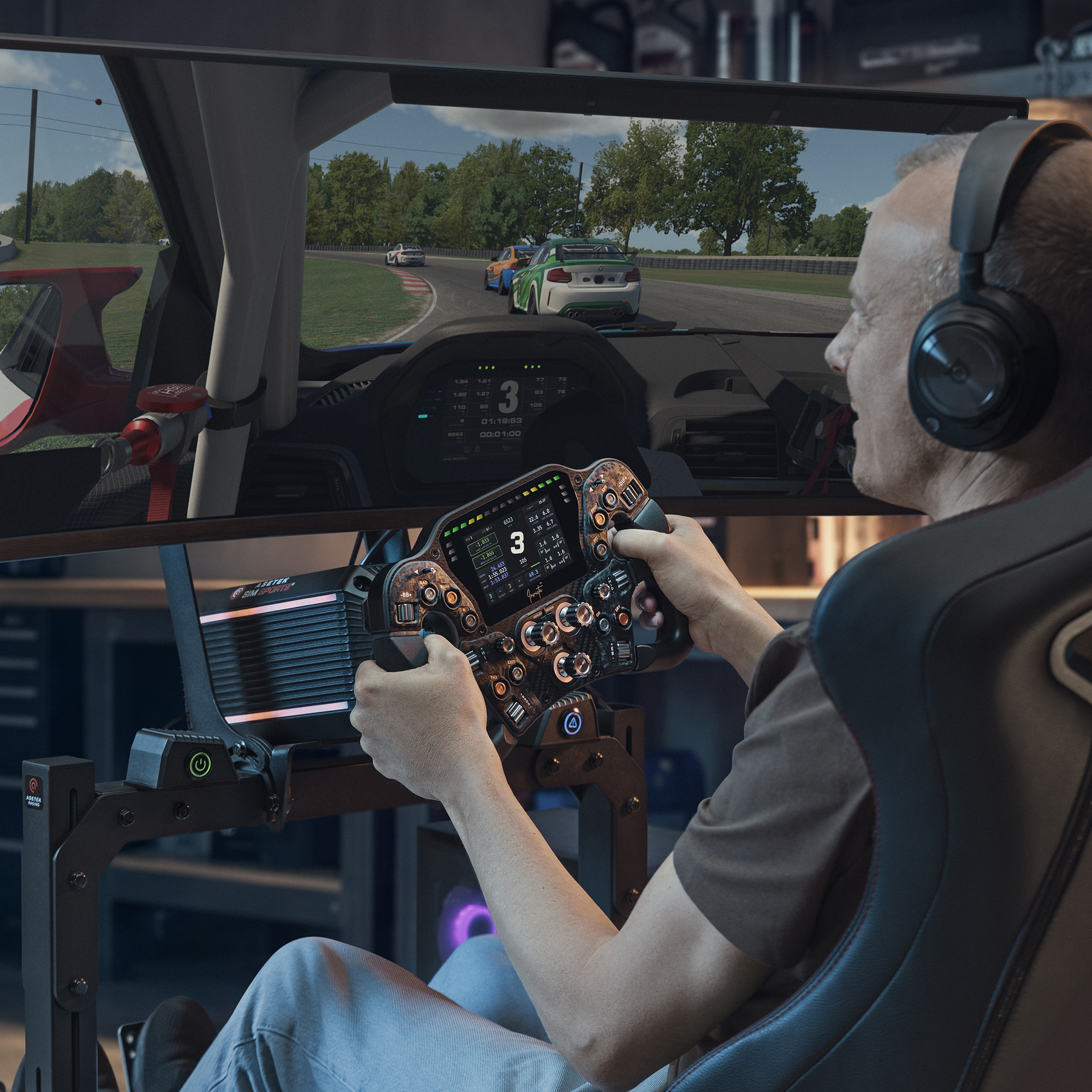
This is especially important with a direct drive wheelbase, because stronger force feedback can expose flex or instability in your setup.
If your screen visibility feels compromised, do not only adjust the monitor. Check your wheelbase height, wheel angle, seating position, and monitor position together.
Common sim racing wheel position mistakes
Placing the wheel too far away
If the wheel is too far away, you may start reaching forward while driving. This can create shoulder tension and make your steering less precise.
Sitting too close to the wheel
If the wheel is too close, your elbows may feel cramped, and it can become harder to make smooth corrections. Your arms should have room to move naturally.
Setting the wheel too high
A wheel that sits too high can make your shoulders tense and may block your view of the screen. Keep the wheel at a height where your arms feel relaxed.
Setting the wheel too low
If the wheel is too low, your wrists may bend awkwardly, and your steering inputs may feel less natural. The wheel should support a neutral wrist position.
Ignoring wheel angle
Wheel angle matters because it affects your wrists, elbows, and shoulders. If the wheel angle does not match your seating position, longer sessions can become uncomfortable.
Letting the wheelbase move or flex
If your wheelbase or cockpit moves under force feedback, your inputs may feel inconsistent. A stable mounting position is important for both comfort and control.
Adjusting the wheel without checking the rest of the setup
Wheel position should work together with your seat, pedals, monitor, and cockpit. If you change one part of the setup, you may need to adjust the others.
How wheel position, seating position, pedals, and monitor setup work together
Your wheel position cannot be adjusted in isolation. It should work together with your sim racing seating position, pedal position, monitor position, and cockpit setup.
If your seat is too far back, your wheel may feel too far away. If your pedals are too far forward, you may change your posture to compensate. If your monitor is too high or too low, you may adjust your head and shoulders in a way that affects your steering comfort.
For the best result, adjust your setup in this order:
- Set your seating position
- Adjust pedal distance and angle
- Set your wheel height and distance
- Adjust wheel angle
- Check monitor height and distance
- Make sure your cockpit is stable
- Test everything over multiple laps
- Make small changes one at a time
A comfortable sim racing setup should feel stable, natural, and repeatable. The goal is not just to feel comfortable for one lap, but to stay consistent across a full session.
Summary: how to set your sim racing wheel position
Your sim racing wheel should be positioned so you can steer smoothly, stay relaxed, and keep your upper body stable. The right position depends on your seating style, wheelbase, steering wheel, cockpit, monitor placement, and driving preference.
As a rule of thumb:
- Keep your shoulders relaxed
- Keep a slight bend in your elbows
- Avoid reaching for the wheel
- Avoid sitting too close
- Keep your wrists neutral
- Match wheel angle to your seating position
- Make sure your wheelbase is stable
- Make sure the wheel does not block your screen
- Test small adjustments over several laps
A good steering wheel position makes your sim racing setup feel more connected, controlled, and comfortable.
If you are building a full setup from scratch, a sim racing bundle can help you match your wheelbase, steering wheel, pedals, cockpit, and monitor position from the start.
FAQ: Sim racing wheel position
How high should my sim racing wheel be?
Your sim racing wheel should usually sit around chest to shoulder height. You should be able to hold the wheel with relaxed shoulders, slightly bent elbows, and neutral wrists.
How far away should my sim racing wheel be?
Your wheel should be close enough that you do not need to reach forward, but far enough away that your arms do not feel cramped. Your elbows should stay slightly bent when holding the wheel at 9 and 3 o’clock.
What is the best sim racing wheel angle?
The best wheel angle depends on your seating position. GT-style setups usually use a more upright wheel angle, while formula-style setups may use a more angled position. The goal is to keep your wrists and shoulders relaxed.
Should my sim racing wheel be close to my chest?
It should be close enough for controlled steering, but not so close that your arms feel cramped. You should be able to rotate the wheel smoothly without leaning forward or locking your elbows.
Why do my shoulders hurt when sim racing?
Shoulder pain can happen if your wheel is too high, too far away, or angled poorly. It can also happen if your seat does not support your back or if your cockpit position forces you to tense your upper body.
Can wheel position affect force feedback?
Yes. If the wheel is too far away, too high, too low, or mounted on an unstable cockpit, force feedback can feel harder to control. A stable and comfortable wheel position helps you respond more naturally to feedback from the car.
Should I adjust my monitor after changing wheel position?
Yes. If you change your wheel height or wheelbase position, check that your monitor is still visible and aligned with your natural eye line. Wheel position and monitor position should work together.



 Back to top