


MAKE YOUR WHEELBASE UNIQUE
Depending on the race type, you can easily adjust every aspect of the wheelbase to fit your style. You can choose between a variety of basic and advanced settings to create your preferred race profile.
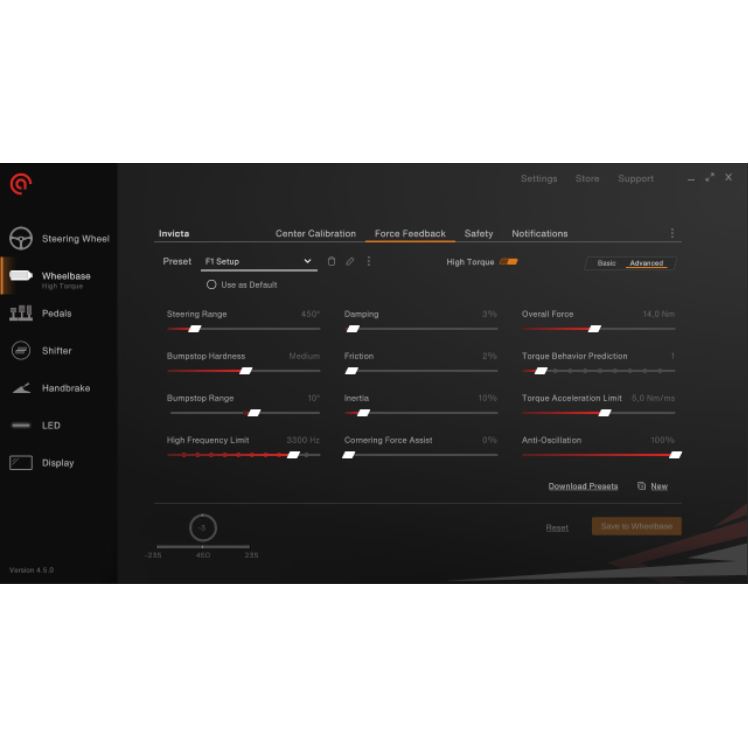

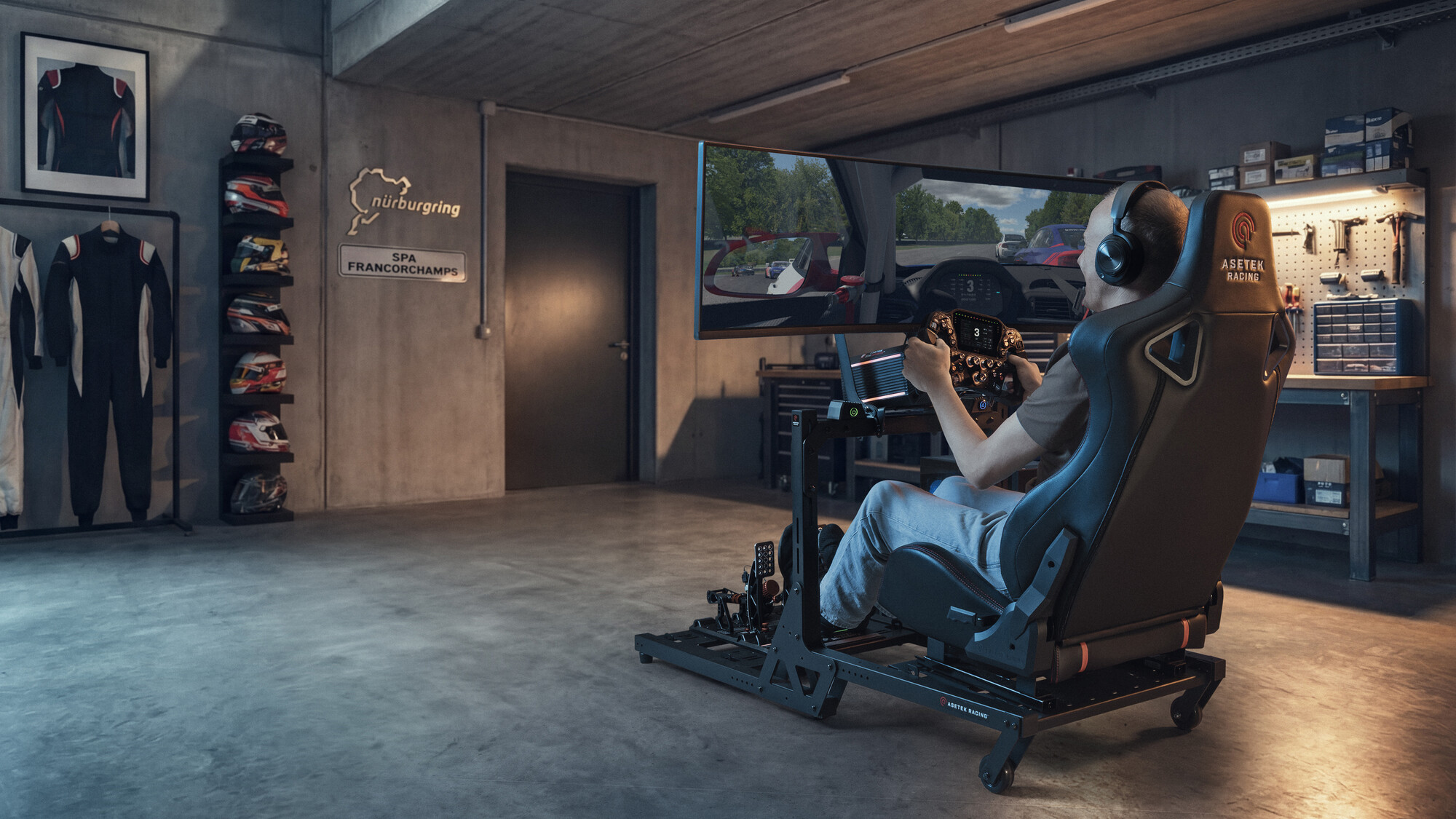
RaceHub™ is our central software where you can calibrate and fine-tune your Asetek Racing™ products to fit your exact needs. It comes with an extensive feature set whether you’re calibrating your pedals, steering wheel, or wheelbase.
Every aspect of RaceHub™ is designed for you – so you can spend your time racing instead of solving problems.
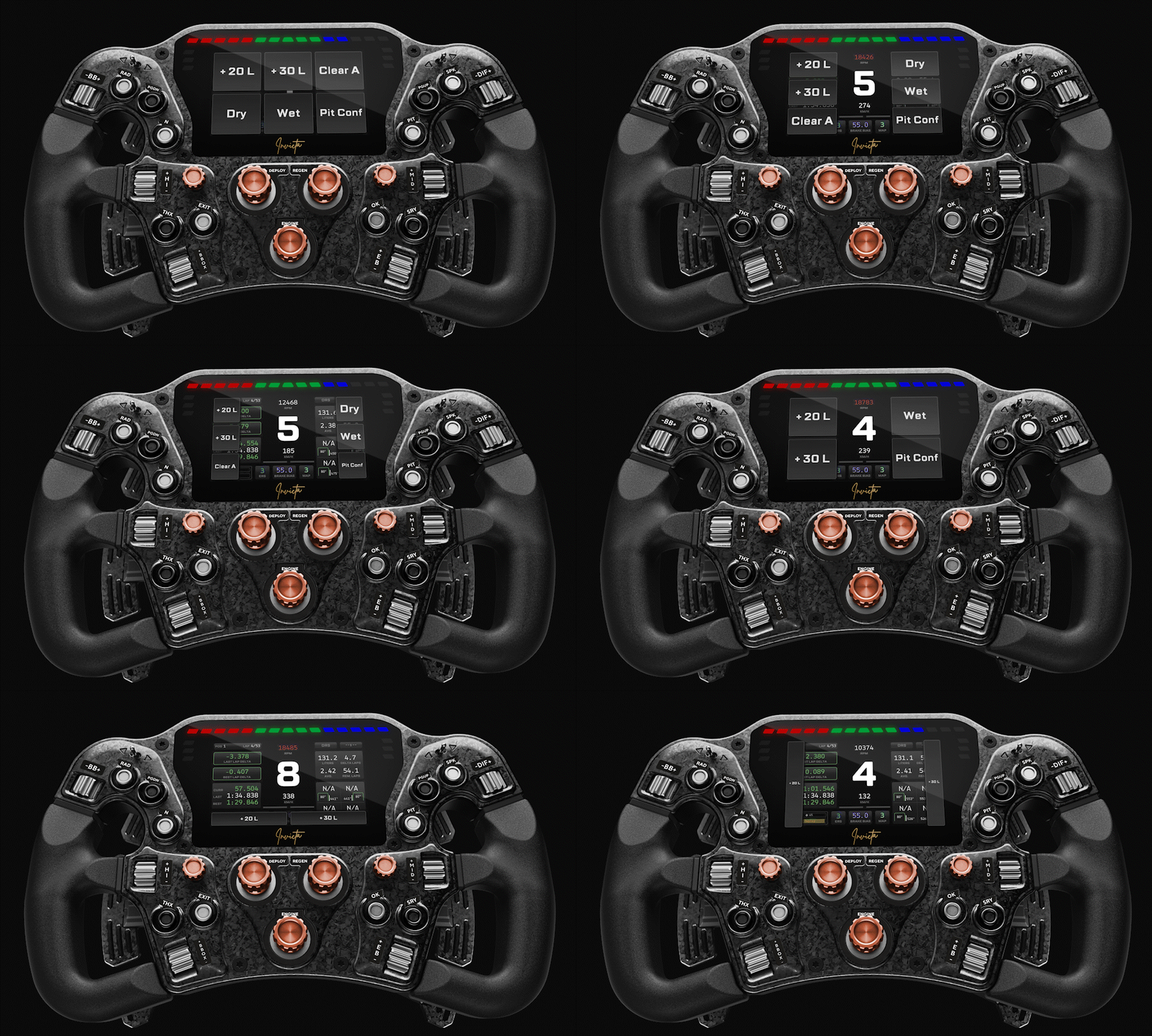
DOWNLOAD NOWGet up to six virtual buttons with one swipe on your 4.3″ 60 Hz RaceView display — all fully customizable for pit calls, voice chat, streaming, or anything else you assign them to. No extra device needed – just swipe, assign, and race.
Key Features:
• Virtual button box
• Download Asetek presets
• Expanded the number of wheelbase presets that can be saved.
• Swipe to change layout
• Support for handbrake and shifters
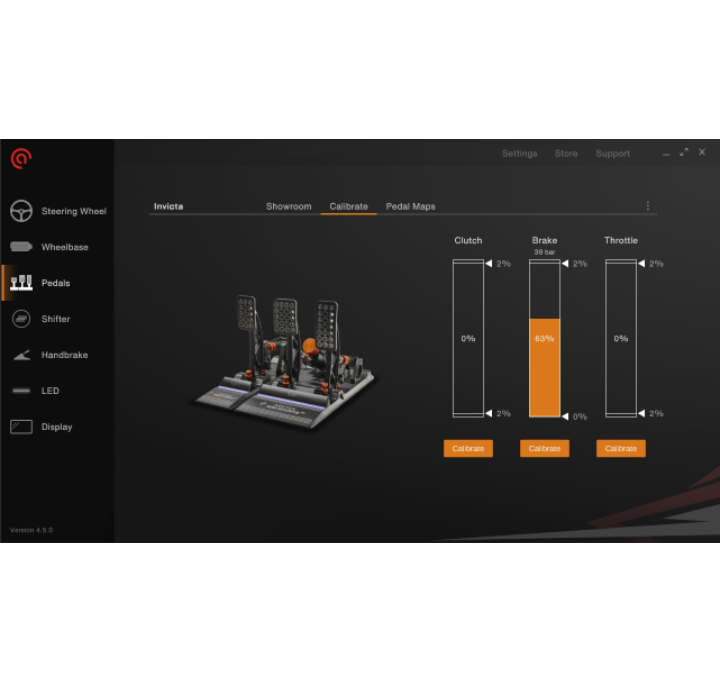
RaceHub™ lets you adjust throttle, brake, and clutch pressure curves and dead zones directly. Every change saves automatically — no save button, no risk of losing a setting you spent ten minutes dialing in.
Depending on the race type, you can easily adjust every aspect of the wheelbase to fit your style. You can choose between a variety of basic and advanced settings to create your preferred race profile.
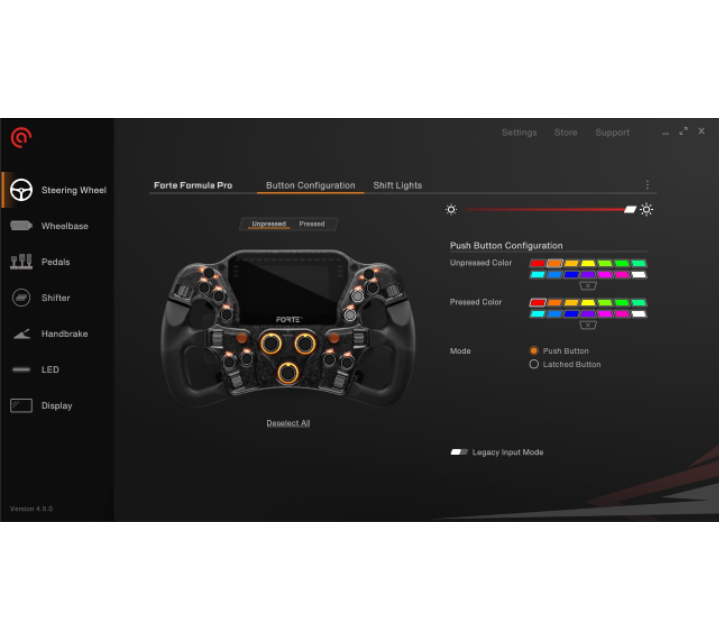
Every button, switch, encoder, and paddle on your Asetek Racing™ wheel is yours to configure. Set rotary and button behavior, adjust LED colors for pressed and unpressed states, and configure your clutch paddles for the optimal race start — all through RaceHub™, down to the smallest detail.
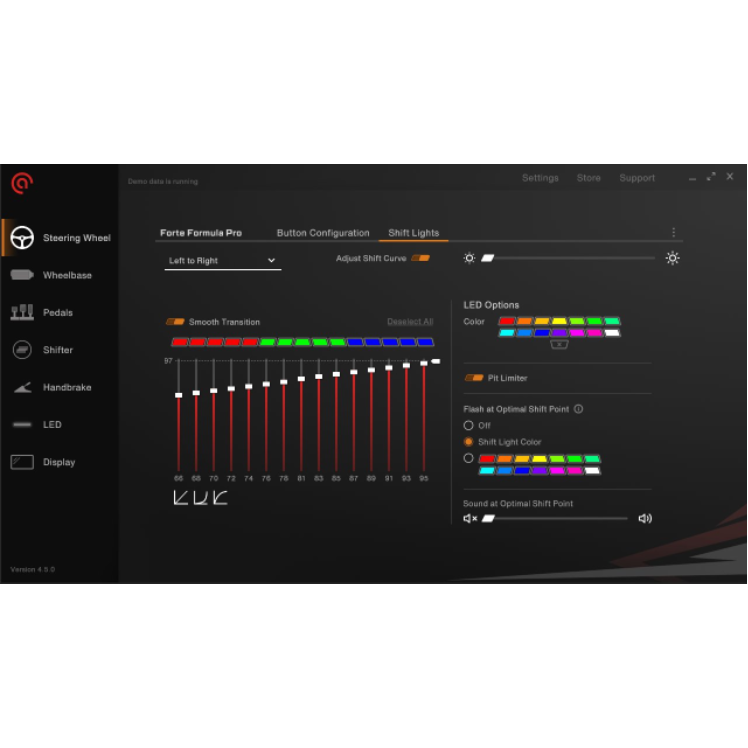
Set your shift lights to flash, change color, or trigger a sound at the exact RPM you choose. Start from live game data, dial it in to your own preference, or let our SimHub integration handle it.
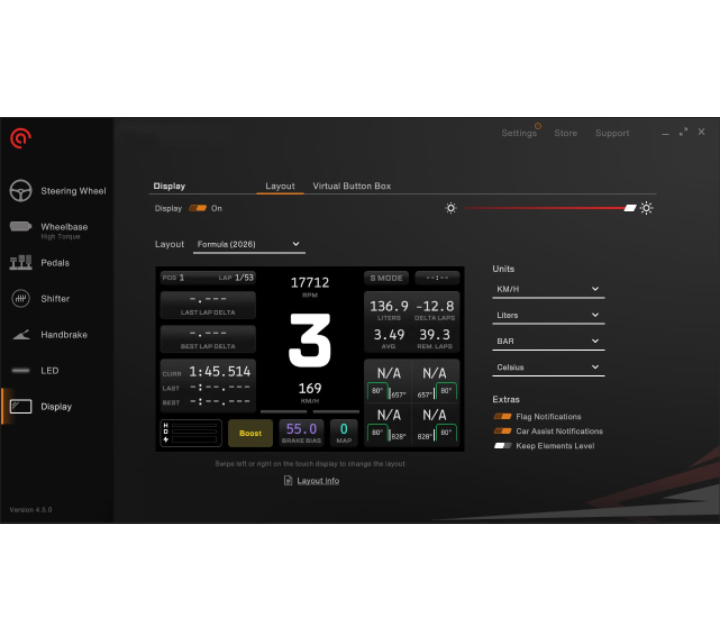
In RaceHub™, build a display with exactly what you need in view — lap times, tire temps, brake bias, whatever matters to your session. The “Keep elements level” feature keeps every element readable, even mid-corner. Prefer someone else’s setup? SimHub integration lets you pull in your favorite layout directly.
One swipe on your 4.3″ 60 HzRaceView display calls up six virtualbuttons for pit calls, voice chat,streaming, or anything else youassign — no extra device, unlockedentirely through RaceHub™. Theyfade out on their own when you don’tneed them, keeping your telemetry inview.
Don’t worry! Of course, you can play around with different LED settings in RaceHub™, and now there are also different idle modes for whenever no game is running.
You can pick your favorite color and brighten up your sim racing setup at home. And if you don’t like it – you can easily turn it off.
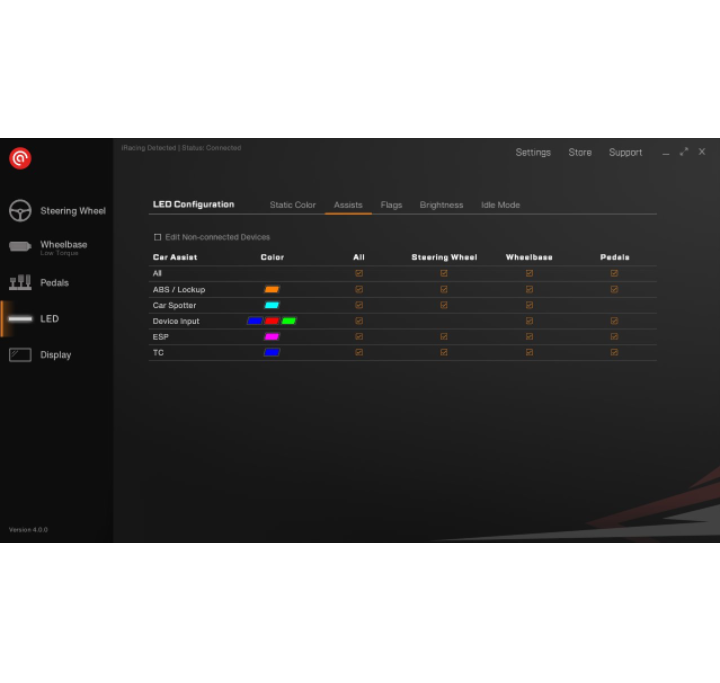
Enhance your experience by knowing exactly what is going on with your car right in front of you. The ABS, ESP, or car spotter option will give you important information on the LED lights of your wheel, wheelbase, and pedals.
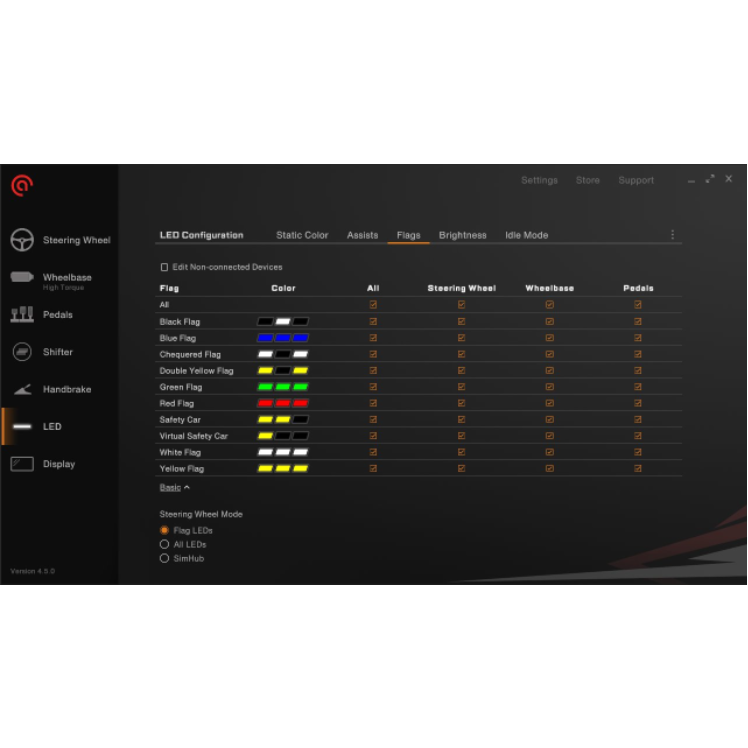
The Flag Light Features allow you to personalize your LED lights with various colors specifically designed for different flags. These lights can be extended to light up your steering wheel, wheelbase, and pedals.
Additionally, integration with SimHub enables seamless customization of light settings to match your preferences.
Q: Which operating systems does RaceHub™ support?
A: RaceHub™ is officially supported on Windows 11. We recommend using the latest version of RaceHub™ to ensure full compatibility with the latest features, hardware, and updates.
Q: Which games are supported by RaceHub™?
A: RaceHub™ supports a wide range of popular racing titles and simulators. The list of officially supported games is continuously updated, so we recommend using the latest version of RaceHub™ for the most up to date game support.
Q: Can I create and save different profiles in RaceHub™?
A: Yes. RaceHub™ allows you to create, save, and load profiles, making it easy to switch between different settings and racing preferences.
Q: Can I use RaceHub™ with SimHub?
A: Yes. RaceHub™ integrates with SimHub, allowing you to use supported SimHub features for compatible displays and LED configurations on Asetek Racing hardware.
Q: How do I update RaceHub™ and my Asetek Racing hardware?
A: RaceHub™ will notify you when software or firmware updates are available. Firmware for compatible Asetek Racing devices can be updated directly through RaceHub™.
Q: Can I download an older version of RaceHub™?
A: Yes. Previous versions of RaceHub™ are available under Legacy Downloads. Please note that older versions may not support all current features or products. For the best experience and full compatibility, we recommend using the latest version of RaceHub™.
____________
Customer Support
Still need help? Contact our Customer Support team for further assistance.
Need more help?
Find the information you need through our troubleshooting guides and manuals, or contact our Customer Support team for further assistance.
Troubleshooting
Visit our Troubleshooting page to find solutions to common issues with RaceHub™ and your Asetek Racing™ hardware.
Manuals
Browse our Manuals for setup instructions, product documentation, and information about your Asetek Racing™ hardware.
Officially Supported Games
See which game series and titlesRaceHub™ supports by clicking here. The list is updated continuously, butit is recommended that you have thelatest version of RaceHub™ to see allavailable game titles.
____________
Customer Support
Still need help? Contact our Customer Support team for further assistance.
¹ Older versions of RaceHub™ are provided for legacy use and may not support all current features or products. We recommend using the latest version whenever possible.
 Back to top
 DOWNLOAD NOW